Operator Filtering
Example
Operator filters
Filtering enables users to streamline and manage visible items within extensive data sets more effectively. By applying filters, users can efficiently locate specific information, explore available options that meet particular criteria, and make well-informed decisions when dealing with a large volume of choices. This functionality not only saves time but also enhances the accuracy and relevance of the data presented to the user.
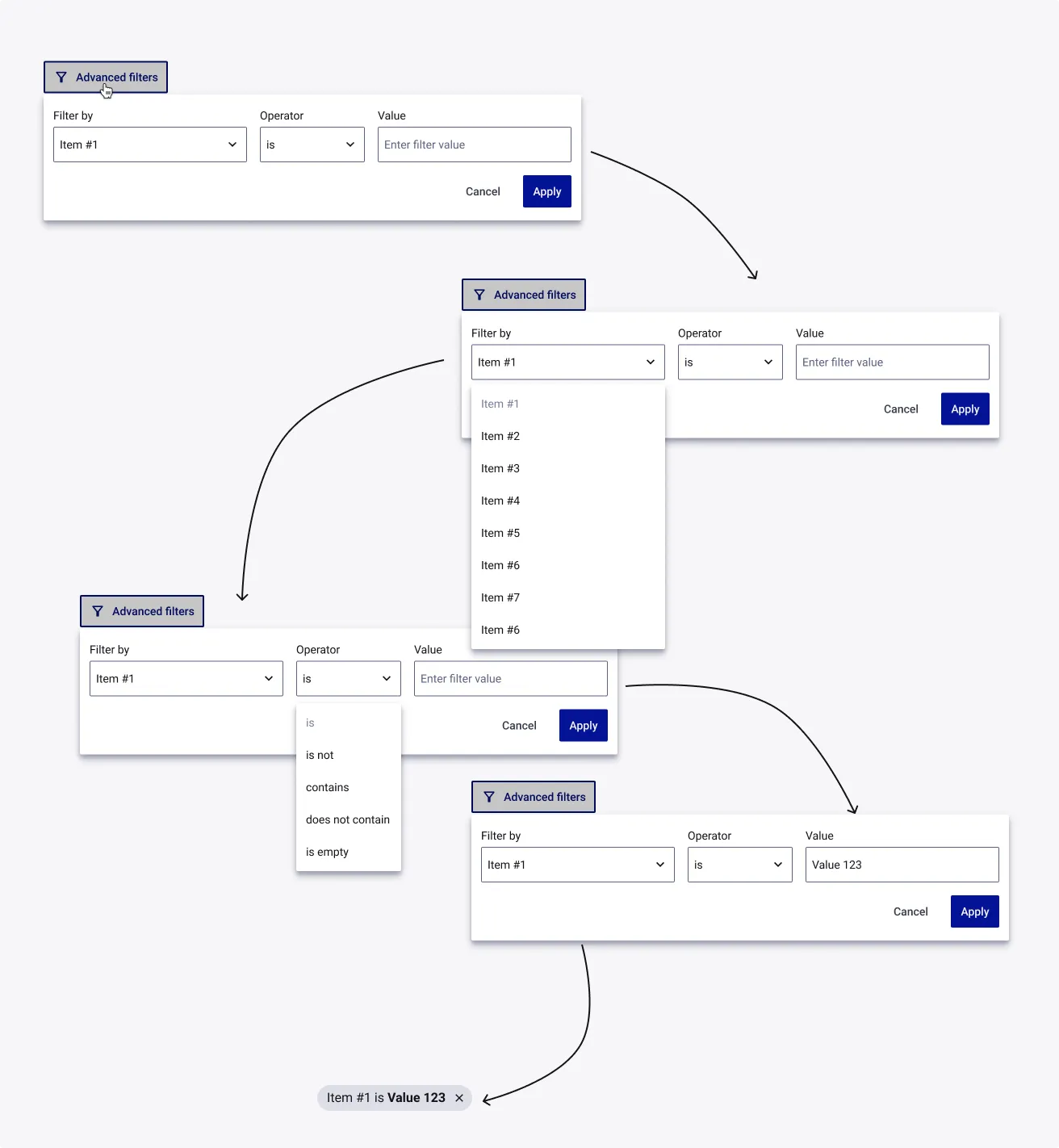
| Field | Definition | Type | Required |
|---|
| Filter | List that is the target of the search performed by the Filter function card. | Dropdown | Yes |
| Operator | Specific comparison to be performed on a list (see Table of Relational Operators below). | Dropdown | Yes |
| Value | When searching within a list of objects, Value is the name of the key that holds the value you want to compare. User can type it manually or choose from the dropdown. We support multiple values in there. | Multiselect Dropdown | Yes |
List of Operators
| Operator | Use case |
|---|
| is | Will used when user wanted to filter it by specific value. |
| is not | Will used when user wanted to filter it to exclude the specific value. |
| contains | When value a is an string and value b is text, tests to see if the object has a value with the specified name. |
| does not contains | When value a is an string and value b is text, tests to see if the object does not have a key with the specified name. |
| is empty | Checks to see if value a is empty, ignores value b. Definition of “empty” varies by type. Note: Only works for Text and Numbers, Dates, are viewed as empty. |
